Record a purchase with one gesture, set limits per category and see where the money actually goes.
4.8
App Store rating
18,768
App Store ratings
8 years
In the stores since 2018
No bank
No account access needed
Three steps, then the app does the arithmetic. No complicated spreadsheets, no long setup.
Cards, cash, savings. All of it in one place, with no bank connection.
Drag a wallet onto a category, type the amount. Expenses and income work the same way, right at the till.
Where the money went, which limits you passed, and what can reasonably be cut.
Four screens carry the whole thing. No hidden menus, no settings three levels deep.
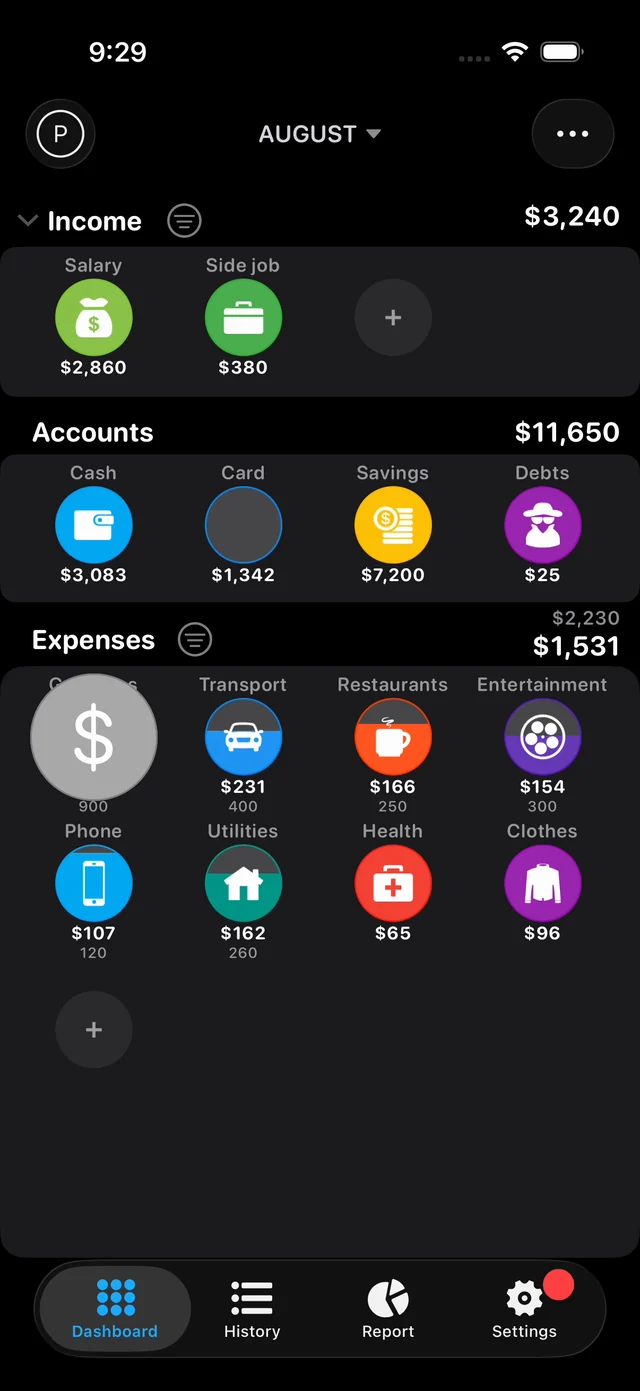
Income, wallets and expense categories are visible at once, with no navigation. Under each category sits its limit for the period.
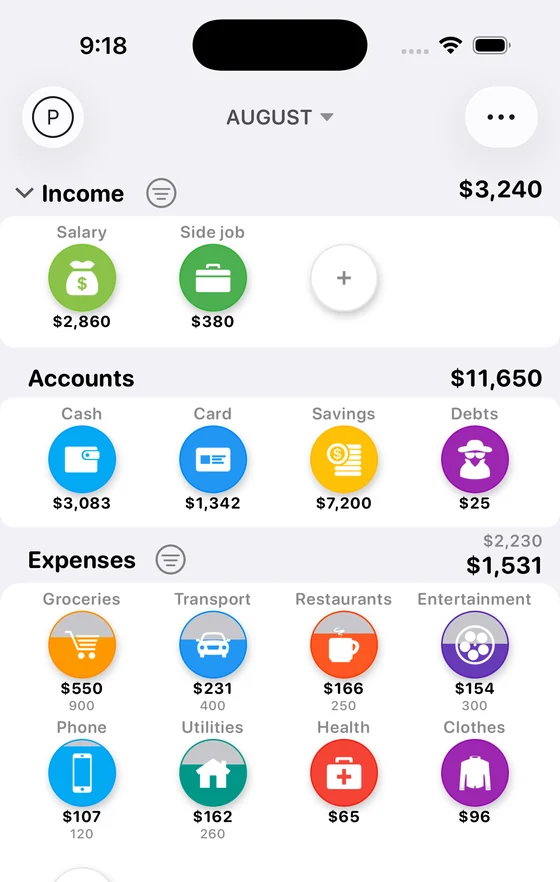
Drag a wallet onto a category. The form opens with the fields already filled in and only the amount is left to type. Income works the same way.
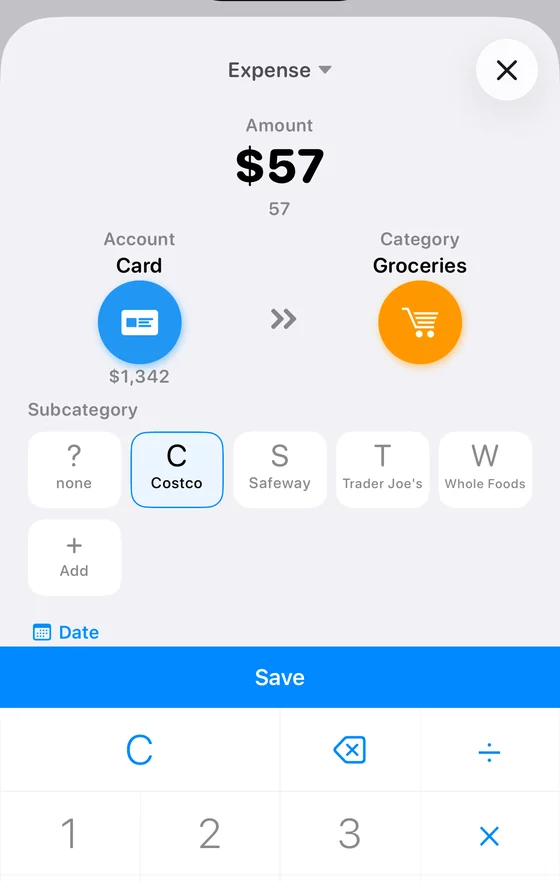
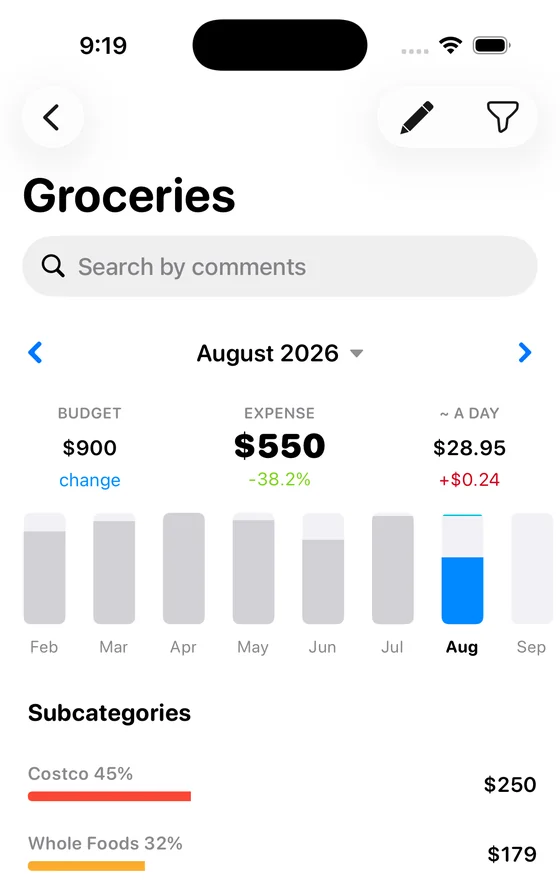
Inside a category you get subcategories with their share and amount, so “Car” turns into service, parking and fines.
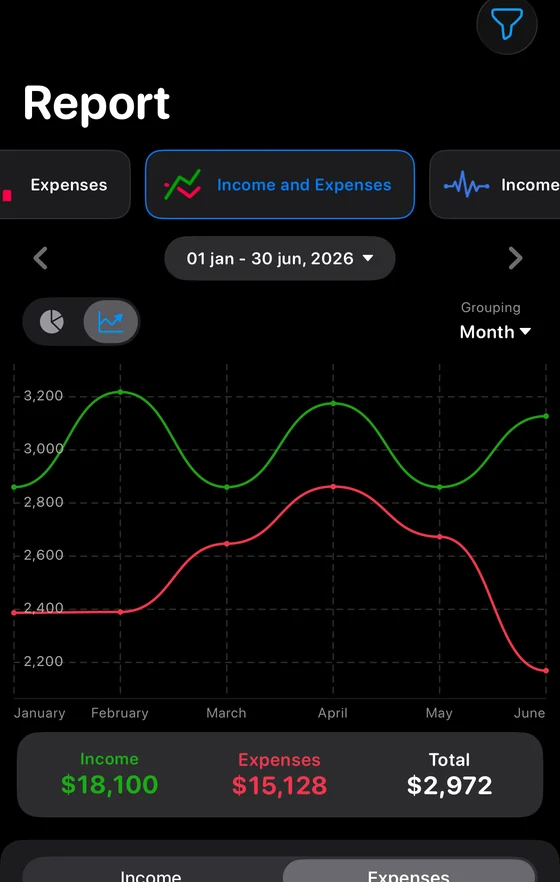
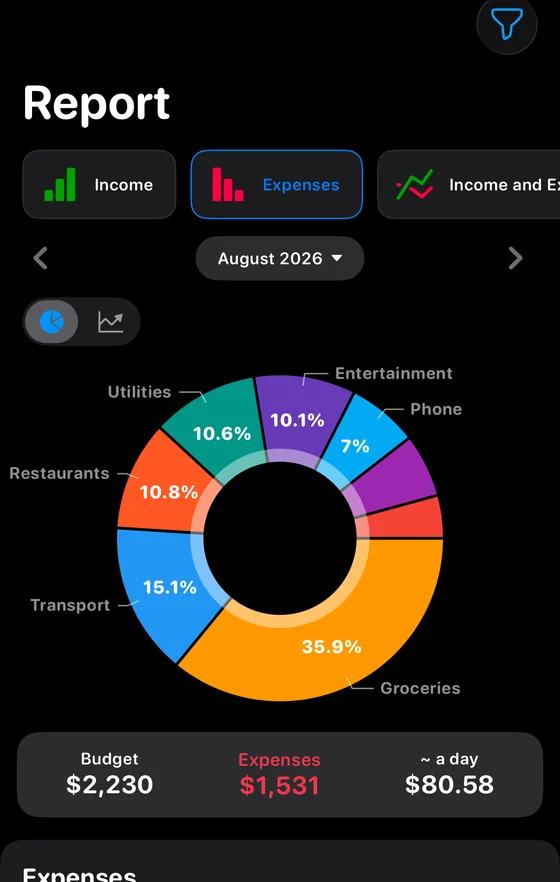
Spending structure as a ring, the trend by week and month, and income minus expenses at the end.
Serious features without a crowded interface. We kept what earns its place.
The app does not connect to banks and never asks for access to your accounts. We physically cannot see your cards or the payments on them.
Wallets can hold different currencies: one in dollars, another in euros. Spending is counted in your main currency, so totals and reports always add up in one. Rates update automatically.
Changed phones, or use two of them, including on different platforms. Every device signed into your account sees the same data. Syncing is part of the subscription.
Create your own categories and subcategories, pick their icons and colours, and arrange them the way you think.
Set a monthly limit for each category. What you have spent sits right under it, and going over is highlighted.
Export operations to CSV and do your own arithmetic in Excel or Google Sheets whenever you want it.
Keep an eye on daily spending, learn what your month actually costs, and stop living from paycheck to paycheck.
A shared budget runs on one account: sign in from both devices and you see the same wallets, categories and limits. A separate login for a second person is not built yet.
No spreadsheets to read. The app turns your numbers into charts you understand at a glance: one look at the ring and the month is explained.
Spending by category and subcategory for any period you choose.
How spending moved by week and by month, and where it started creeping up.
Income minus spending, so you can see immediately whether the period ended up or down.
Free calculators. They run in the browser and nothing is stored.
How to run a budget that survives past the first week. No promises of getting rich quickly.
Method
Half to needs, thirty percent to wants, twenty to saving. With a calculator, and an honest look at where housing breaks it…
Method
Every dollar gets a job before the month starts. The most demanding common method, and what it needs from a tool…
Tool
Income against spending by category, what is left at the end of the month and your savings rate…
The app does not connect to bank accounts and every entry is made by hand. That means we have no access to your cards or accounts as a matter of design, not as a promise. Records live on your device. If you turn on syncing, a copy is kept in your account on our servers so nothing is lost when you change phones and so a second device can open it.
Yes, the app runs on both Android and iPhone. The download button works out your platform and opens the right store.
Two people share one account: sign in from both phones and you see the same wallets, categories and limits. Inviting a second person with their own login does not exist yet.
Free and with no time limit: wallets, categories with limits, as many entries as you like, and the spending structure report for any period. That is enough to track continuously. A subscription helps once you need more wallets and categories, and it adds syncing between devices, debts, the trend chart, a passcode on launch, extra profiles and the home screen widget.
Yes, wallets can hold different currencies: one in dollars, another in euros. Your main currency stays single and spending is counted in it. When you pay from a foreign currency wallet, the amount is converted at the current rate as you enter it, so you type 200 euros and immediately see what that is in dollars. Totals and reports are therefore always in one currency rather than a mixture. The main currency can be changed in settings and the app recalculates existing entries at the current rate.
No. The app never asks for bank access and does not connect to your accounts. Expenses are entered by hand and each one takes a couple of seconds, so you always know exactly what the app can see.
You can carry on in the spreadsheet, nobody is rushing you. We even have a ready-made template for Excel and Google Sheets. And if you do move to the app, its data always exports back to CSV, so nothing ties you in.
Still stuck? Write to support@budgetok.app and a person will answer.
The app is eight years old, has 18,768 App Store ratings and a 4.8 score. The first 7 days are free.
Available on iPhone and Android.